
Product story
Why I Built TrarrenShot: A Mac Screenshot App for Real Workflows
The screenshot was rarely the hard part. The interruptions between seeing something, explaining it, and getting back to work were.
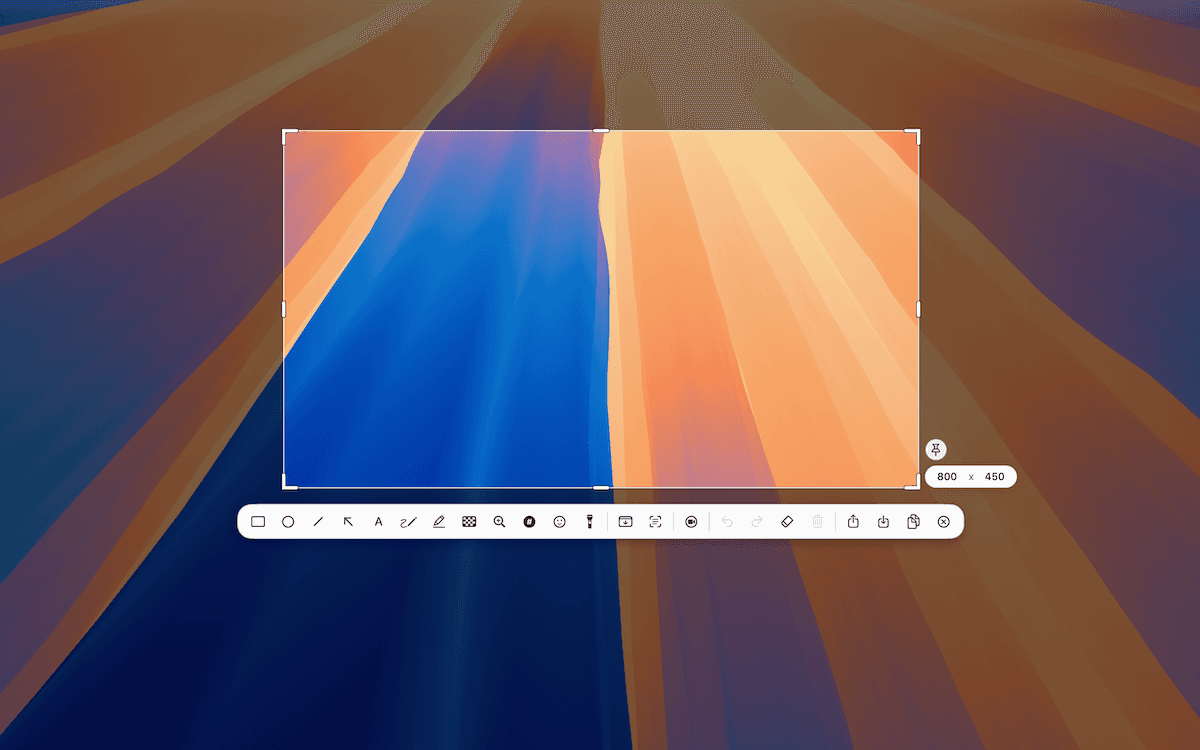
I spend a lot of time working remotely. Meetings, demos, bug reports, product discussions, and design reviews all involve showing something on a screen and explaining what I mean. Screenshots naturally became part of that work.
Over time, I realized the screenshot itself was rarely the problem. The real problem was everything around it: capture something, open another window, add an arrow, adjust the crop, copy the image, switch back to the conversation, paste it, then explain which part everyone should look at.
None of those steps is particularly difficult. But each one can interrupt the flow. That was the starting point for TrarrenShot, a native Mac screenshot and screen annotation app built around fast visual workflows.
The goal was not to make a screenshot tool with the longest feature list. I wanted to reduce the distance between seeing something, explaining it, and continuing with my work.
A screenshot is usually part of a larger task
When I take a screenshot at work, the image is almost never the final goal. I might be explaining a bug, pointing out a UI detail, preparing documentation, answering a question in a remote meeting, copying text from the screen, or capturing a long page.
The screenshot is just one step in that workflow. So instead of asking, “What features should a screenshot app have?” I started asking, “What happens immediately before and after someone takes a screenshot?” That question was much more useful.
One Shot came from reducing unnecessary mode changes
One workflow I wanted to simplify became One Shot. Start one capture flow, then choose directly on screen whether to capture a window, a region, or the full screen. After capture, continue according to the selected setting: open the Inline Editor, copy the image, or save it to a file.
Capture. Annotate if needed. Copy, save, or continue working.
A lot of friction comes from tiny transitions: opening another editor, switching modes, finding the right action, or repeating a capture because the selection was slightly off. For me, workflow quality is often about removing those small interruptions. See how One Shot works.
Annotation should feel like part of capture
When I draw an arrow or add text to a screenshot, I am usually not starting a separate creative project. I am trying to explain something quickly. Annotation should be ready when I need it and easy to leave when I am done.
That is why details such as selecting, moving, and editing annotations matter. They are not always exciting on a feature list, but they have a real effect on how quickly an app feels during everyday work. Learn about screenshot annotation.
Shortcuts should support the workflow, not become another system to memorize
Another small part of that workflow is keyboard shortcuts.
When an action becomes something I use repeatedly, I do not want to keep moving the pointer back to the same button.
For common macOS actions, TrarrenShot follows familiar conventions:
Command + Cto copyCommand + Sto save
That also affects how I think about the interface.
Once a shortcut becomes part of muscle memory, the corresponding toolbar button may no longer need to stay visible all the time.
The same idea applies to annotation tools.
Instead of assigning shortcuts such as C for Circle or R for Rectangle, TrarrenShot can select tools by their toolbar position:
1, 2, 3, 4…
I prefer this for two reasons.
First, it follows the visual layout the user already sees.
Second, it does not assume that the user thinks about tools through English names.
If Rectangle is the first tool, 1 selects it. If the user later moves Highlighter into that position, 1 now selects Highlighter.
The shortcut follows the workflow instead of forcing the workflow to follow a fixed shortcut map.
This may look like a small interaction detail, but these are exactly the kinds of details I care about in TrarrenShot.
A tool used repeatedly should become easier to operate over time, not require the same amount of attention every time.
Sometimes a screenshot is not necessary
During a screen-sharing session, I might only want to say, “Look here,” or “This button is the part I mean.” Taking a screenshot, annotating it, and showing the result is a lot of work when everyone is already looking at the live screen.
That became the idea behind Live Canvas. It lets me draw over the current Mac desktop, then switch to click-through to interact with the apps underneath without ending the session. The useful part is not simply that I can draw; it is that I do not have to leave the context I am already in. Explore Live Canvas.
Features should support the workflow
TrarrenShot also includes Scroll Capture, OCR text recognition, QR Code detection, a Color Picker, and Preview actions. I think about each in terms of what someone needs next. OCR is useful when the next step is working with text from the screen. Scroll Capture helps when the content extends beyond the visible display. Preview keeps a result nearby when I want to review it or take another action.
I do not want these to feel like unrelated tools collected in one app. They should fit around the same basic flow.
Native and local by default
I wanted TrarrenShot to feel like a Mac app—not only in appearance, but in the way it uses the platform and keeps interactions direct. Screenshot and annotation processing is designed to happen locally on the Mac; sharing through another app is a separate action the user chooses.
I am not building the product around AI just because AI is popular. If it solves a real workflow problem, it may make sense. The distinction I care about today is workflow and interaction design.
TrarrenShot is still evolving
One extra click, one mode switch, or one window appearing at the wrong time can seem insignificant in isolation. Repeat it dozens of times a day and it becomes noticeable. Some interactions can be simpler, some features can be faster, and some ideas will turn out to be unnecessary. That is part of building a product.
The principle I want to keep is straightforward: capture what you need, explain it clearly, and get back to your work. That is the workflow TrarrenShot is being built around.
TrarrenShot
Continue reading
September 24, 2026
Why Screenshot Tools Break the Flow During Remote Meetings
When everyone is already looking at your screen, taking a screenshot just to point at something can add more steps than the moment needs.
September 24, 2026
Designing Live Canvas: Screen Annotation Without Taking a Screenshot First
A live desktop and a screenshot may show the same thing, but they call for different interactions. Live Canvas was designed around that difference.
September 24, 2026
Designing a Customizable Toolbar: Making Screenshot Tools Fit Different Workflows
A toolbar should not show every feature by default. Its order, visible tools, and shortcuts should fit the workflow someone has chosen.