
Powerful tools. Zero friction.
All Features
Explore TrarrenShot features for screen annotation, Live Canvas drawing, One Shot capture, Scroll Capture, OCR, screenshot markup, and HEX colors.
Featured workflows
Powerful tools. Zero friction.
Screen Annotation for Mac | TrarrenShot Live Canvas
Draw directly on your Mac screen with Live Canvas. Annotate during meetings and demos, click through to your apps, then save, copy, or share.
Learn more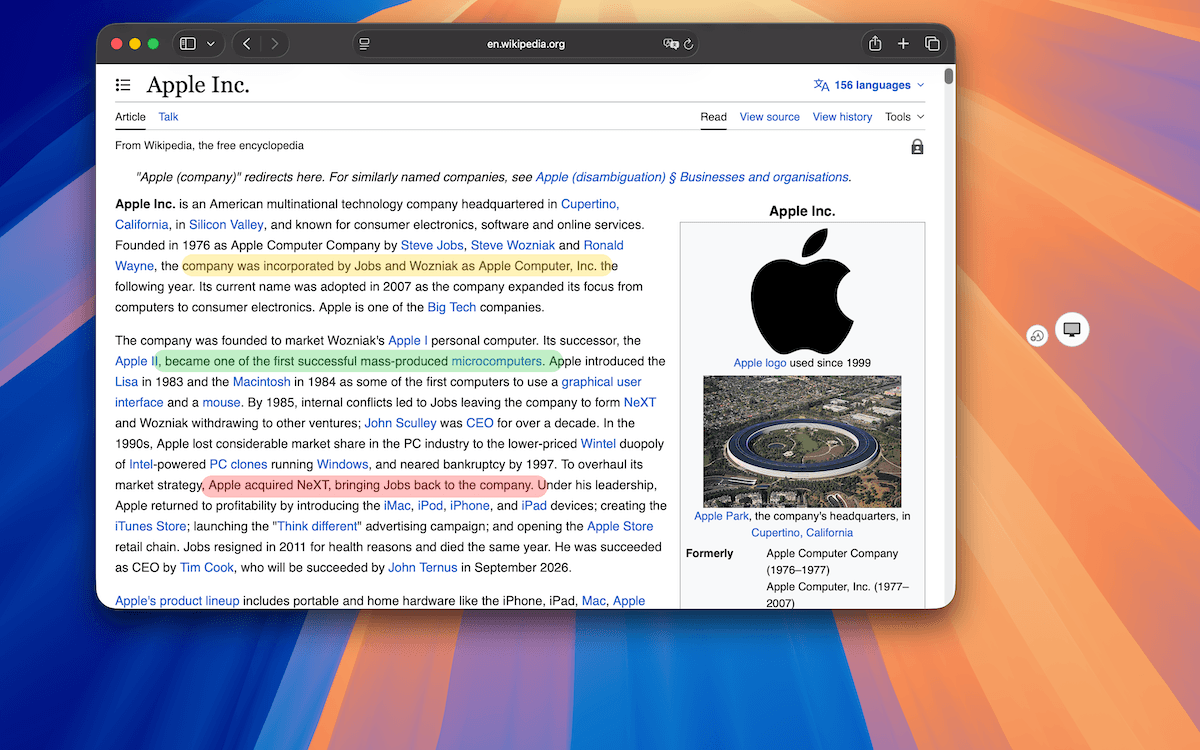
Powerful tools. Zero friction.
Capabilities
Capture
One Shot Capture on Mac
Start one capture and choose a window, a dragged region, or the full screen — then copy, save, or edit the result.
Scroll Capture for Mac
Create long screenshots after One Shot by selecting an area, starting Scroll Capture in the editor, and scrolling while TrarrenShot stitches the result.
Explain
Annotate & draw
Screenshot Annotation on Mac
Annotate Mac screenshots in TrarrenShot's Inline Editor. Advanced Editor is coming soon for existing images, added screenshots, and multi-image compositions.
Advanced Editor
Coming SoonComing soon: open and edit screenshots or images already saved on your Mac in TrarrenShot Advanced Editor, add captures, compose images, and export the result.
Screen Annotation for Mac | TrarrenShot Live Canvas
Draw directly on your Mac screen with Live Canvas. Annotate during meetings and demos, click through to your apps, then save, copy, or share.
Note Annotation for Clearer Screenshots
Add numbered callouts and supporting text to explain exactly what matters in a screenshot.
Recognize & inspect
OCR Text Recognition on Mac
Extract text from a One Shot capture in the TrarrenShot Inline Editor with Auto plus 11 selectable language modes.
QR Code Detection on Mac
Find QR codes in a screenshot, preview the decoded content, then copy or open supported links from the editor.
Color Picker for Mac
Sample a screen color with One Shot and copy it as HEX, RGB, HSB, or CSS in sRGB or Display P3.
Powerful tools. Zero friction.
All Features
Explore TrarrenShot features for screen annotation, Live Canvas drawing, One Shot capture, Scroll Capture, OCR, screenshot markup, and HEX colors.