
Fonctionnalités
Fenêtre d’aperçu sur Mac
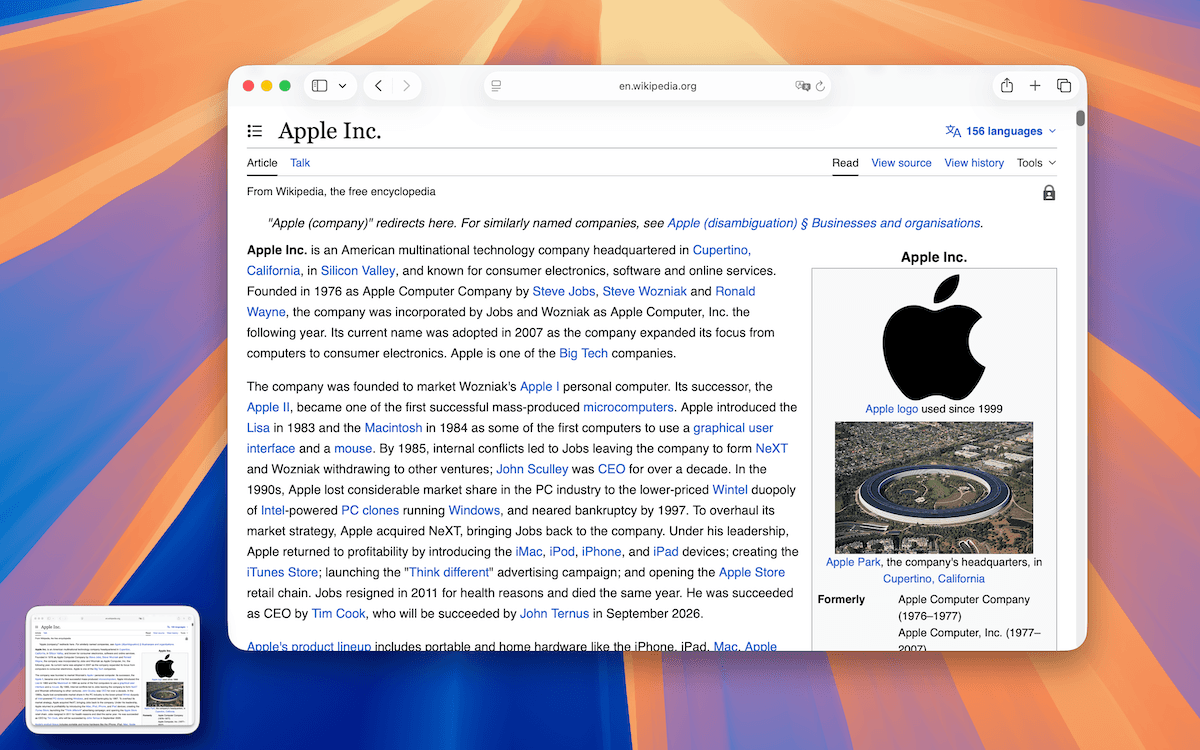
Lorsqu’il est activé, TrarrenShot affiche une miniature flottante après la copie, l’enregistrement ou le partage d’une capture. Vous pouvez confirmer la sortie et utiliser les actions disponibles sans rouvrir le fichier.
Dernière mise à jour: juin 2026
Idéal pour
- Confirmer qu’une capture a été copiée, enregistrée ou partagée avant de poursuivre.
- Épingler l’aperçu pour garder une sortie visible.
- Ouvrir une image enregistrée ou afficher son dossier depuis l’aperçu.
Affichez une miniature flottante après une copie, un enregistrement ou un partage pour confirmer le résultat et poursuivre rapidement.
Comment ça marche
- Copiez, enregistrez ou partagez un résultat.
- Vérifiez l’aperçu flottant.
- Utilisez les actions rapides pour épingler, copier, enregistrer ou ouvrir le fichier.
- Faites glisser l’aperçu vers une autre application si nécessaire.
- Laissez-le se fermer automatiquement ou fermez-le manuellement.
Questions fréquentes
L’aperçu peut être placé à gauche ou à droite et se fermer automatiquement après le délai choisi.
Avant de commencer
- Preview peut être désactivé dans Settings ; aucune miniature ne s’affiche alors.
- La personnalisation de Quick Access est une fonctionnalité Plus.
Questions fréquentes
- Puis-je placer l’aperçu de chaque côté de l’écran ?
- Oui. L’aperçu peut être placé à gauche ou à droite.
- L’aperçu peut-il se fermer automatiquement ?
- Oui. Vous pouvez choisir désactivé, 3 secondes, 5 secondes ou 10 secondes.
- Puis-je épingler ou rouvrir une sortie enregistrée depuis l’aperçu ?
- Oui. Vous pouvez épingler l’aperçu et, pour les sorties enregistrées, ouvrir l’image ou afficher le dossier.
- Les options Quick Access sont-elles disponibles pour tout le monde ?
- La personnalisation de Quick Access nécessite Plus.
Tout ce qu’il faut. Rien d’inutile.
En savoir plusCapture One Shot sur Mac
Capturez une fenêtre, une zone ou tout l’écran en une seule action, puis copiez, enregistrez ou modifiez le résultat.
En savoir plusAnnotations de captures sur Mac
Annotez vos captures dans l’éditeur TrarrenShot avec rectangle, cercle, ligne, flèche, texte, stylo, surligneur, pixellisation, loupe et étapes.
En savoir plusCapture défilante pour Mac
Après One Shot, sélectionnez une zone dans l’éditeur, lancez Capture défilante puis TrarrenShot assemble le résultat pendant le défilement.
En savoir plusTrarrenShot est une app légère de capture pour Mac avec annotation d’écran, capture défilante, OCR et Live Canvas pour les réunions et le travail à distance.